
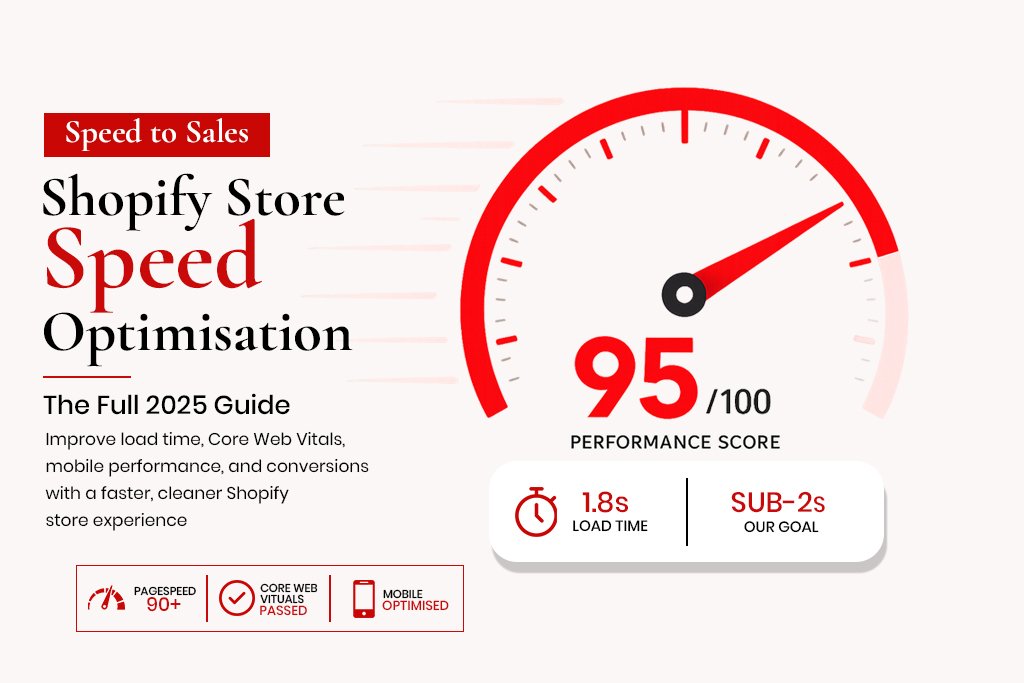
Shopify Store Speed Optimisation: The Full 2025 Guide to Sub-2-Second Load Times
Shopify’s hosted infrastructure is fast by default – it uses a global CDN, handles server maintenance, and processes payments at scale without the merchant doing anything. Despite this, a significant percentage of Shopify stores load slowly. Not because of Shopify’s servers, but because of what merchants install on top of them.
Apps, heavy themes, unoptimised images, embedded videos, third-party scripts, custom fonts, tracking pixels – every one of these adds to load time. And load time matters in two ways that directly affect revenue: it affects your Google rankings through Core Web Vitals, and it affects your conversion rate because visitors abandon slow sites.
According to Google’s research, a site that loads in 1 second converts 3x better than a site that loads in 5 seconds. On mobile, where the majority of Shopify traffic originates, the gap is even wider. This guide covers everything you need to measure your store’s speed accurately, identify what is causing it to be slow, and fix it.
How to Measure Shopify Store Speed Correctly
Google PageSpeed Insights
This is the only score that matters for SEO purposes because it reflects the same metrics Google uses in its ranking algorithm: Core Web Vitals. Test the mobile version – Google uses mobile-first indexing, so the mobile score is what affects rankings. The desktop score is usually significantly better and gives a misleadingly optimistic picture.
A mobile PageSpeed score above 80 is good. Above 90 is excellent. Below 60 is actively hurting both rankings and conversions.
Shopify’s Built-in Speed Report
Shopify’s speed report in the admin panel (Online Store -> Themes -> Speed) gives a comparative score against other Shopify stores. It is useful for benchmarking, but it does not reflect Core Web Vitals and should not be used as your primary performance measurement.
WebPageTest.org
For advanced diagnosis, WebPageTest shows a waterfall chart of every resource your page loads, in the order it loads them. This is where you find the specific files causing the most delay – which third-party script is blocking page render, which image is the largest, which font is loading last.
The 8 Most Common Shopify Speed Problems
1. Unoptimised Images
This is the number one speed problem across Shopify stores. A product image uploaded at the original camera resolution of 4000x3000px and 8MB is served at 800x800px display size, but the browser still has to download the full file before it can show anything. The fix is to compress and resize every image before uploading.
Target file size: under 200KB for product images, under 100KB for thumbnails. Format: WebP where possible, JPEG as a fallback. Tools: Squoosh (free, browser-based), Photoshop with Save for Web, or bulk conversion via ShortPixel.
2. Too Many Apps
Every Shopify app you install injects code into your theme – typically JavaScript that loads on every page. Some of this code loads synchronously, meaning the browser stops rendering the page until the script has fully downloaded and executed. A store with 20 apps might be loading 15 scripts it does not need on pages where those apps are not being used.
Audit your app list quarterly. For each app, ask: is this generating measurable revenue or operational value that outweighs its impact on page speed? If the answer is no, remove it. Most store owners are surprised by how many apps are installed that nobody actively uses.
3. Render-Blocking JavaScript
Scripts that load in the head of a page block the browser from rendering visible content until they have downloaded and executed. The fix is to move non-critical scripts to load asynchronously (using the async or defer attributes) or to move them to the bottom of the page. Shopify’s architecture makes this more complex than on a standard HTML site, but it is achievable through theme.liquid modifications and app script management.
4. Heavy Theme
Premium Shopify themes are often beautiful and feature-rich. They are also frequently slow because they include functionality for every possible use case – sliders, video backgrounds, mega menus, parallax effects, custom fonts – whether you use those features or not. If you are using 20% of your theme’s functionality, you are loading 100% of its code.
Lightweight themes like Dawn (Shopify’s free default), Streamline, or Prestige (for higher-end stores) typically score significantly better on PageSpeed than feature-heavy multipurpose themes. If your current theme is scoring below 50 on mobile, a theme change is worth evaluating.
5. Multiple Custom Fonts
Each custom font file is a download request. If your theme loads four font weights plus italic versions of each, that is eight font files loading before text can appear on screen. The result is invisible text during loading and a significant contribution to your LCP score.
Use maximum two font families with two weights each. Host fonts locally rather than loading from Google Fonts – this removes an external DNS lookup and keeps the font loading within your CDN.
6. Embedded Videos
A YouTube or Vimeo embed on a product page loads a significant amount of third-party JavaScript just to display the video thumbnail. Use a facade – a static image that looks like the video player but does not load any JavaScript until the visitor actually clicks play.
7. Unused CSS
Themes ship with CSS for every feature they offer. If your store does not use a sidebar, a mega menu, or a product comparison table, the CSS for those features is still loading on every page. Tools like PurifyCSS or UnCSS can identify and remove unused CSS, though this requires careful testing.
8. No Lazy Loading
Images below the fold – product grids, related products, footer images – should not load when the page first opens. They should load as the visitor scrolls toward them. Shopify’s Dawn theme implements lazy loading by default. Many older themes do not.
Step-by-Step: Shopify Speed Optimisation Process
-
Run PageSpeed Insights on your homepage, best-selling product page, and main collection page (mobile view). Record the current scores as your baseline.
-
Audit your images. Download your theme and review the media library. Identify every image over 300KB. Re-export and upload optimised versions (WebP, under 200KB).
-
Open Shopify Admin -> Apps. For each app, note whether it adds storefront scripts. Remove any app that is not actively being used.
-
Open your theme code -> theme.liquid. Check how fonts are loaded. If loading from Google Fonts, switch to locally hosted fonts using the Shopify font API.
-
Enable lazy loading for images below the fold if your theme does not do this by default.
-
Review your theme code for render-blocking scripts in the head. Move or defer what is safe to defer.
-
Add loading=’lazy’ to all img tags below the fold in your theme templates.
-
Re-run PageSpeed Insights after each change and compare to your baseline.
Shopify Speed and SEO – The Direct Connection
Core Web Vitals are ranking signals. Google’s Page Experience update confirmed this in 2021 and the signal has been part of the algorithm since. LCP, INP and CLS directly affect where your store appears in search results when competing with other stores for the same keywords.
A store with an LCP of 1.8 seconds and all green Core Web Vitals has a ranking advantage over a competitor with an LCP of 5 seconds, assuming comparable content and authority. Beyond rankings, speed affects paid traffic ROI – a faster store converts paid traffic at a higher rate, reducing cost-per-acquisition across Meta, Google Shopping and TikTok campaigns.
What a Good Shopify Speed Score Looks Like
| Metric | Good | Needs Work | Critical Problem |
| Mobile PageSpeed | 80-100 | 60-79 | Below 60 |
| LCP | Under 2.5s | 2.5-4s | Over 4s |
| INP | Under 100ms | 100-300ms | Over 300ms |
| CLS | Under 0.1 | 0.1-0.25 | Over 0.25 |
| TTFB | Under 600ms | 600ms-1.8s | Over 1.8s |
Frequently Asked Questions
Does Shopify’s speed affect my Google rankings?
Yes, directly. Core Web Vitals are confirmed Google ranking signals. A store that passes all three has a ranking advantage over stores that fail them.
How much will improving my Shopify speed increase conversions?
Google’s research shows a 1-second improvement in load time correlates with a 7% increase in conversions on average. A store moving from 5 seconds to 2 seconds on mobile can expect a meaningful, measurable conversion rate improvement.
Can I improve Shopify speed without coding?
Some of it, yes – compressing images, removing unused apps, switching themes. Deferring JavaScript, removing unused CSS and modifying font loading all require theme code changes.
How often should I check my Shopify store speed?
After every significant change – new app, theme update, new page template. Monthly otherwise.