What Is Technical SEO and Why Your Site Cannot Grow Without It
Every week, businesses publish content they believe will rank. They write the articles, add the keywords, share on social media and wait. Six months later, the organic traffic is flat. The site sits somewhere between page three and page seven for searches that should, by every reasonable measure, be sending them customers.
The problem is almost never the content. It is the infrastructure underneath it.
Technical SEO is the part of search engine optimisation that most agencies skip because it is harder to explain in a sales pitch than ‘we will get you to page one.’ It does not produce a shareable graphic or a flashy before-and-after screenshot. What it produces is a website that search engines can actually find, read, understand and trust enough to rank.
Without it, everything else – the content, the backlinks, the social signals – produces a fraction of what it should. This guide covers what technical SEO actually is, which problems kill the most rankings, how to audit your site, and what to fix first.
What Technical SEO Actually Covers
The phrase gets thrown around a lot, which means it has started to lose its meaning. Technical SEO is not a single task. It is a category of work that deals with the relationship between your website and the algorithms that decide whether to rank it.
Here is what falls under it:
Crawlability
Before a search engine can rank your pages, it has to find them. Googlebot and other crawlers travel through the web by following links. If your site has pages blocked in robots.txt, broken internal links, or an architecture that makes it hard to reach important pages in a small number of clicks – those pages will not get crawled, and pages that do not get crawled do not get ranked.
Crawl budget matters more than most small businesses realise. Google allocates a certain number of crawl requests to each site based on authority and server performance. If your site wastes those requests on thin pages, parameter URLs, duplicate content or error pages, the important pages get crawled less frequently. Updates do not get indexed. Rankings stagnate.
Indexation
Crawling and indexing are not the same thing. A page can be crawled and still not indexed – meaning it will not appear in search results at all. Indexation problems happen because of noindex tags left in place from development, thin content Google decides is not worth indexing, canonical tags pointing to wrong URLs, or pages excluded from the sitemap.
One of the most common technical SEO mistakes we see is websites with hundreds of pages indexed that should not be – tag pages, author archives, search result pages, paginated pages with near-identical content – diluting the site’s overall quality signal in Google’s eyes. Cleaning up the index is often one of the fastest-acting technical fixes available.
Site Speed and Core Web Vitals
Google confirmed site speed as a ranking factor years ago. Since then, the measurement has become more specific through Core Web Vitals – three metrics that measure the real user experience of loading, interactivity and visual stability:
-
LCP (Largest Contentful Paint): how long the main content takes to appear. Target is under 2.5 seconds.
-
INP (Interaction to Next Paint): how quickly the page responds to user interaction. Target is under 100ms.
-
CLS (Cumulative Layout Shift): how much the page layout shifts while loading. Target is under 0.1.
A site that fails these targets does not automatically get penalised, but it loses a ranking advantage it could have over competitors who pass them. In close competitive situations – two sites with similar content and backlinks – Core Web Vitals can be the tiebreaker.
URL Structure
Search engines prefer clean, descriptive URLs that tell both the algorithm and the user what the page is about. A URL like /services/technical-seo-audit/ is better than /page?id=447&cat=3. The structure of your URLs should also reflect your site’s architecture, creating a logical hierarchy that makes content discovery easier for crawlers and humans alike.
Internal Linking
Every internal link on your site is a vote of authority from one page to another. Pages with more internal links pointing to them are treated as more important. This means the architecture of your internal link structure directly influences which pages rank well and which ones get ignored.
Most sites get this completely wrong. They have a homepage with links to the main service pages, a blog with posts that never link back to anything, and service pages that do not link to each other. The result is a site where page authority pools at the top and never reaches the pages that need it most.
Schema Markup
Schema is structured data – code added to your pages that tells search engines explicitly what the content means, not just what it says. There is schema for businesses, people, products, reviews, FAQ sections, how-to guides and dozens of other content types. Pages with correct schema markup are eligible for rich results – expanded search listings with star ratings, FAQ dropdowns and step-by-step instructions that increase click-through rates significantly.
Beyond rich results, schema helps search engines understand your site well enough to surface it in AI-generated answers, voice search responses and the growing number of AI-powered search interfaces that pull direct answers from structured content.
Mobile Usability
Google has operated on mobile-first indexing since 2019. That means the mobile version of your site is the version Google uses to evaluate and rank your content. If the mobile experience has navigation issues, unclickable buttons, text too small to read without zooming, or content different from the desktop version – those are technical SEO problems with ranking consequences.
Duplicate Content
Duplicate content is not just about having the same article published on two different sites. Internal duplicate content – the same or very similar content appearing on multiple URLs within your own site – is a common technical problem that confuses search engines about which version to rank and can split the authority that should be concentrated on a single page.
It appears in ecommerce through product variants, filtered collection URLs and pagination. It appears on WordPress sites through tag pages, category archives, author pages and search result pages. Handling it requires a combination of canonical tags, noindex directives and URL parameter handling.
The 8 Technical SEO Problems That Kill Rankings
Across hundreds of site audits, the same issues appear repeatedly. Some are catastrophic – they prevent ranking entirely. Others are slow bleeds that chip away at performance over time. Here are the eight that come up most often.
1. Pages Blocked by Robots.txt or Noindex Tags
This is the most common catastrophic error. Important pages are accidentally blocked from being crawled or indexed by a robots.txt rule or a noindex meta tag left over from development. The site looks fine to a human visitor. To Google, those pages do not exist. The fix takes five minutes; the damage while undiscovered can set a site back months. Check this in Google Search Console under Coverage.
2. Missing or Broken XML Sitemap
The XML sitemap is a roadmap for search engine crawlers. A missing sitemap does not prevent ranking, but it slows down discovery – especially for new content and pages more than a few clicks from the homepage. A broken sitemap is worse – if it returns a 404 or contains noindexed URLs, it actively misleads the crawler.
3. Duplicate Content Without Canonicals
If your site has multiple URLs serving the same content – with and without trailing slashes, HTTP and HTTPS, www and non-www, parameter URLs – and no canonical tags pointing to the preferred version, you are splitting ranking authority across multiple URLs instead of concentrating it on one.
4. Slow Core Web Vitals
A mobile LCP of 6 seconds is not a slightly suboptimal user experience – it is a ranking disadvantage that costs clicks every day. The most common causes are uncompressed images, render-blocking JavaScript, slow server response and page builders loading hundreds of kilobytes of unused CSS.
5. Broken Internal Links
Every broken internal link is a crawl dead end. It also signals to search engines that the site is not well maintained. A site crawl using Screaming Frog will identify all 404 responses from internal links.
6. Missing Schema Markup
A site without schema markup leaves opportunity on the table. FAQ schema alone can expand a standard search result into a listing that takes up three times more vertical space – increasing click-through rate without any change in ranking position.
7. Thin or Duplicate Pages Being Indexed
Tag pages with two posts, author archives nobody ever published from, near-identical pagination pages – if these are being indexed, they are diluting the overall quality perception of your domain. Add noindex to pages with no real content value.
8. Poor Mobile Experience
Navigation menus that need a hover state, buttons too close together to tap accurately, text that requires zooming – these are mobile usability failures that appear in Google Search Console under ‘Mobile Usability.’ Each one is a ranking signal working against you.
How to Run a Technical SEO Audit in 30 Minutes
You do not need an enterprise tool subscription to run a useful technical audit. Here is a fast, practical process using mostly free tools.
Step 1 – Google Search Console (free): Open Search Console. Go to Coverage – review every ‘Error’ and ‘Excluded’ URL. Go to Core Web Vitals – check Mobile and Desktop. Go to Mobile Usability – fix every error listed.
Step 2 – Screaming Frog SEO Spider (free up to 500 URLs): Run a crawl. Check response codes for 4xx errors. Check Page Titles for missing or duplicate titles. Check H1 – every page needs exactly one containing the target keyword.
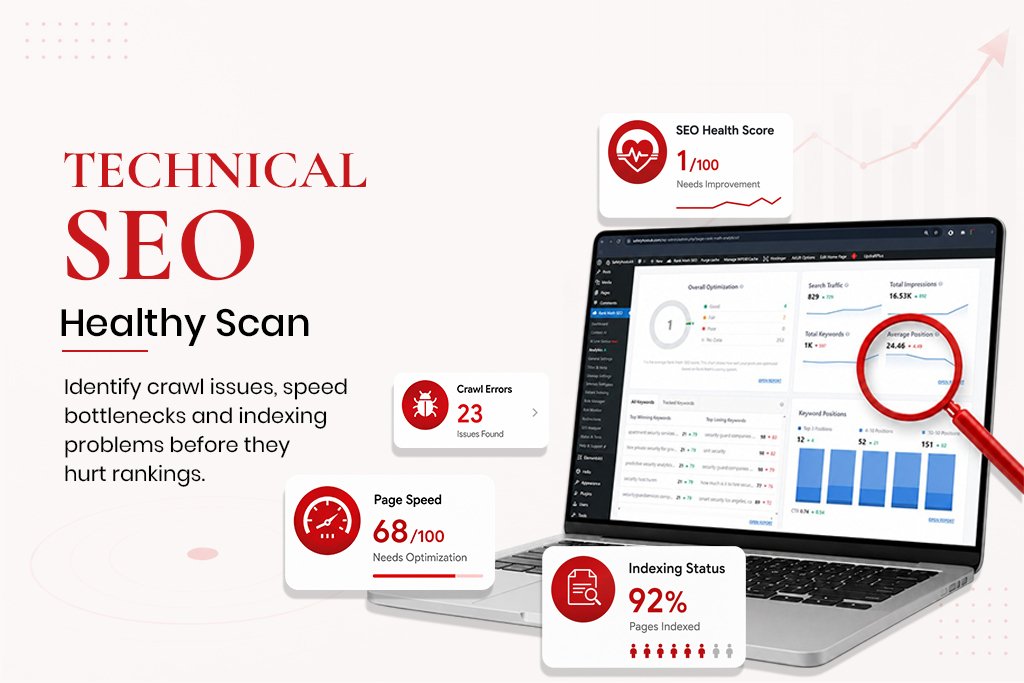
Step 3 – Google PageSpeed Insights: Run the mobile version of your homepage, your most important service page, and your most recent blog post. Anything below 70 on mobile is affecting rankings.
Step 4 – Schema Validation: Use Google’s Rich Results Test (search.google.com/test/rich-results). Test your homepage, main service page and a blog post.
Step 5 – Manual Checks: Type ‘site:yourdomain.com’ into Google. The number of pages returned should roughly match the pages worth indexing on your site.
Prioritising What to Fix First
Fix Immediately
-
Pages marked noindex that should be indexed
-
Pages blocked in robots.txt that should be crawled
-
HTTPS not enabled or SSL certificate expired
-
Sitemap returning a 404 or not submitted
Fix This Week
- Core Web Vitals failing on mobile
- Duplicate content without canonical tags
-
Broken internal links creating crawl dead ends
-
Missing H1 tags or duplicated title tags
Fix This Month
-
Schema markup missing from service pages and blog posts
-
Images without alt text
-
Thin indexed pages diluting domain quality
-
Internal linking not distributing authority properly
Technical SEO on WordPress – Specific Notes
-
Rank Math or Yoast should be generating your sitemap. Check it monthly at yourdomain.com/sitemap.xml.
-
Permalinks must be set to Post Name (Settings -> Permalinks).
-
Confirm ‘Discourage search engines from indexing’ is unchecked under Settings -> Reading on the live site.
-
WP Rocket or LiteSpeed Cache should handle page speed – lazy loading, JS deferral, image optimisation.
-
Every page should have a unique, keyword-containing meta title and description set in Rank Math.
Frequently Asked Questions
How long does it take to see results from technical SEO fixes?
Faster than most people expect. Technical fixes are often indexed within 2-4 weeks because Google recrawls frequently once it notices changes. Improvements in Search Console impressions and clicks typically appear within 30-60 days. The full compounding effect builds over 3-6 months.
Do I need to hire someone for technical SEO or can I do it myself?
Some of it is genuinely DIY-friendly – submitting a sitemap, fixing meta tags, updating alt text. The more complex work – fixing crawl budget issues, redirect chains, schema implementation, diagnosing Core Web Vitals failures – is harder to get right without experience. A bad redirect map can cause more damage than the original problem.
Is technical SEO a one-time fix or ongoing work?
Both. There is a set of foundational fixes done once. Beyond that, it requires ongoing maintenance – new pages need schema, new content needs internal links, Core Web Vitals need monitoring after updates.
What tools do you actually need for technical SEO?
Google Search Console and PageSpeed Insights are free and cover most of what matters. Screaming Frog’s free version handles crawls up to 500 URLs. Ahrefs or SEMrush help with larger sites and more detailed analysis.