

Shopify Plus vs Standard Shopify: Which One Is Right for Your Business
Shopify Plus vs Standard Shopify: Which One Is Right for Your Business Shopify Plus is the enterprise version of Shopify. It is significantly more expensive than standard Shopify plans, and the additional capabilities only become valuable at a specific scale. This guide covers what you actually get, when the upgrade makes commercial sense, and what Shopify Plus development involves compared to standard Shopify. What Shopify Plus Actually Includes Shopify Plus pricing starts at $2,300 per month versus standard plans starting at $39. That is a significant step up, worth understanding specifically. Custom Checkout Standard Shopify’s checkout structure is fixed beyond colours and a logo. Plus gives access to checkout.liquid (or checkout extensibility), allowing full customisation – custom layouts, additional fields, upsell offers within checkout, custom validation. Shopify Flow A no-code automation tool built into Plus. Tag high-value customers automatically, flag orders for review based on risk score, send internal notifications – reducing operational overhead for high order volumes. Launchpad Schedules automated changes at specific times – price changes for flash sales, theme changes for campaigns – removing the operational stress of manual midnight changes. Multi-Store Management Up to 10 store instances under one Plus organisation, enabling separate storefronts for regions or brands managed from a single admin interface. B2B Features Company accounts, buyer roles, custom pricing by account, purchase order payment terms and draft order approval workflows – managing both consumer and trade channels from one platform. Higher API Rate Limits Standard Shopify allows 2 API calls per second; Plus allows 4. This matters for complex integrations and high-volume order processing. Dedicated Support A dedicated launch engineer during onboarding and priority support, genuinely valuable for complex migrations. When Shopify Plus Makes Commercial Sense Custom checkout is required – if checkout limitations are hurting conversion, this alone can justify the cost B2B sales are significant – Plus removes the need for a separate B2B solution International expansion requires multiple storefronts with local pricing and language High order volume is creating operational inefficiencies that Flow and Launchpad would automate API limitations are causing integration problems with ERP or inventory systems When Standard Shopify Is Sufficient Merchants doing up to $2-3 million annually rarely find standard Shopify’s feature set genuinely limiting. The jump to $2,300/month only makes commercial sense when the additional capabilities produce a clear return. Shopify Plus Development – What Is Involved Custom Checkout Development Checkout extensibility uses Shopify’s checkout UI extension framework – JavaScript-based components requiring familiarity with Shopify’s extension APIs and React. Shopify Functions Functions replace or extend backend logic – custom discount calculations, delivery customisations – written in WebAssembly via Rust or JavaScript, running on Shopify’s infrastructure. Theme Development Follows the same Online Store 2.0 principles as standard Shopify, with the added context of B2B-specific content and checkout integration. API and Integration Work Higher rate limits enable ERP connections, 3PL integrations and real-time inventory sync across multiple warehouses. Shopify Plus Timeline and Cost Expectations Project Timeline Cost Range Migration to Plus (same theme) 2-4 weeks $2,000-$6,000 Checkout customisation only 2-4 weeks $3,000-$8,000 Custom theme + checkout 8-14 weeks $15,000-$35,000 Full Plus build (B2B, multi-store, integrations) 14-24 weeks $35,000-$100,000+ Frequently Asked Questions At what revenue should I consider Shopify Plus? Not a revenue threshold – it depends on specific needs. The Plus cost of roughly $27,600/year makes financial sense when the features unlock a return exceeding that. This typically falls somewhere between $1-5 million in annual revenue, but specific requirements matter more than the number. Can I test Shopify Plus before committing? Shopify offers trial periods and demo environments. Worth testing checkout extensibility specifically before signing a Plus contract. Is Shopify Plus development more expensive than standard Shopify? Yes, by roughly 30-60% for equivalent scope, because Plus-specific work requires more specialised knowledge and higher testing complexity. Does Shopify Plus affect SEO? Not directly. SEO impact comes from the theme, technical implementation and content – the same considerations as standard Shopify.
How to Improve Your Shopify Conversion Rate: 11 Fixes That Actually Work
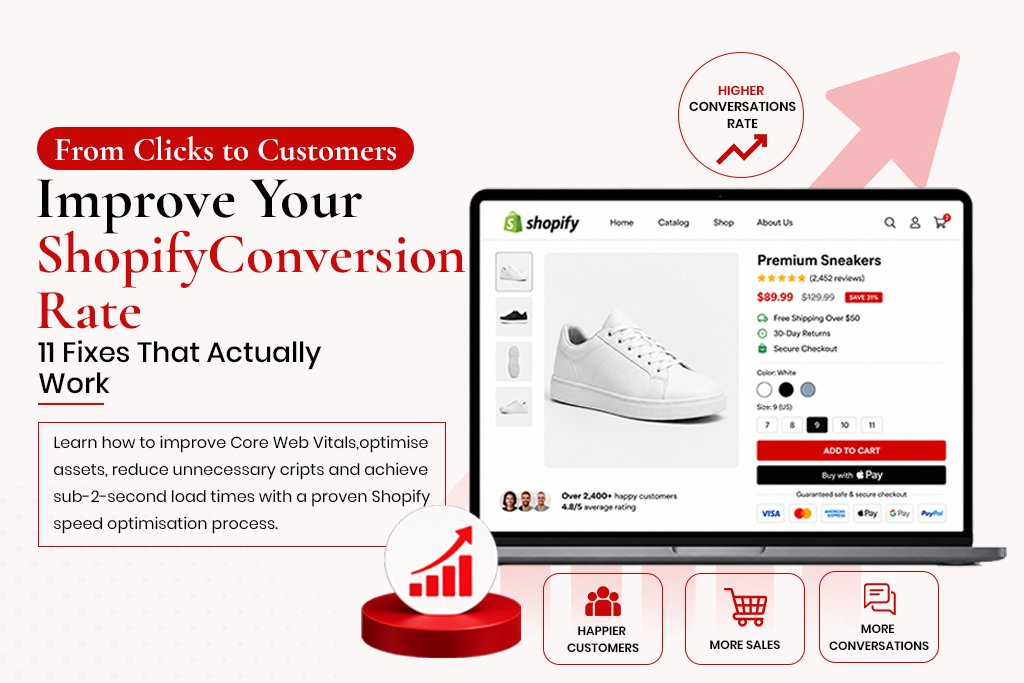
How to Improve Your Shopify Conversion Rate: 11 Fixes That Actually Work The average Shopify store converts between 1.2% and 2.5% of its visitors. That means 97-99% of the people landing on your store leave without buying anything. Getting more traffic to a store that converts at 1% is an expensive way to solve a problem that better conversion rate optimisation would fix for a fraction of the cost. CRO – conversion rate optimisation – is the discipline of making your existing traffic work harder. Instead of spending more to acquire more visitors, you focus on removing the reasons why current visitors are not buying. Doubling your conversion rate from 1% to 2% doubles your revenue from the same traffic. These 11 fixes are drawn from real Shopify CRO audits, ranked roughly by impact-to-effort ratio. Fix 1: Restructure Your Product Page Hierarchy The most common product page layout problem is burying the purchase decision below the fold. Visitors need to see the product name, price, key benefit and add-to-cart button without scrolling. On mobile, that space is limited – every element above the buy button is costing you. The correct hierarchy above the fold: large product image, product name (H1), price, key variant selectors, and the add-to-cart button. Everything else – description, specs, reviews, related products – goes below the fold. Fix 2: Add Trust Signals Above the Fold Visitors who do not know your brand need a reason to trust you before handing over payment details. The most effective trust signals are: Star rating with review count displayed directly below the product name Short trust badges near the add-to-cart button: secure checkout, 30-day returns, free shipping Payment method icons below the add-to-cart button A short social proof statement: ‘Over 2,400 customers’ or ‘Featured in [publication]’ Fix 3: Fix Your Image Load Time Shopify product images are often uploaded at the original camera resolution – files of 6-8MB. Every product image should be exported at the display resolution you actually use and converted to WebP before uploading. The difference between a 6MB PNG and a 180KB WebP shows up directly in your LCP score and load time. Fix 4: Fix the Cart Abandonment Leak The average cart abandonment rate across ecommerce is 70-75%. A significant portion of that is caused by friction you can remove: Unexpected costs at checkout – show shipping costs on the cart page, not only at checkout Mandatory account creation – allow guest checkout Too many checkout steps – Shopify’s one-page checkout reduces friction significantly Payment method mismatch – offer Apple Pay or Klarna if your audience expects them Fix 5: Simplify the Checkout Only ask for information you actually need: name, shipping address, email, payment details. Shopify’s built-in checkout is already well-optimised – the common mistakes happen when merchants add custom fields, surveys or upsell interstitials that interrupt the flow. Fix 6: Implement Review Schema Reviews improve conversion directly through social proof. Review schema also adds star ratings to your product’s appearance in Google search results, attracting more clicks even before the visitor lands on the page. On Shopify, apps like Okendo, Stamped or Judge.me handle this. Fix 7: Improve Mobile Navigation Common problems include hamburger menus too small to tap accurately, mega menus that collapse poorly on mobile, no sticky header, and missing breadcrumbs. Walk through your store on a real phone as if you were a first-time customer and note every point of confusion. Fix 8: Add Urgency Mechanics – But Only Real Ones Fake countdown timers no longer work – visitors have learned to dismiss them. Real urgency mechanics that work: accurate low stock indicators, real sale end dates, genuine seasonal relevance, and back-in-stock notifications that capture email. Fix 9: Rewrite Your CTA Copy ‘Add to Cart’ is fine as a default, but on landing pages and bundle offers, benefit-oriented CTAs like ‘Get My Kit’ or ‘Claim My Discount’ often outperform generic ones. Test changes using Shopify’s built-in A/B testing or Google Optimize, running for at least two weeks for statistical significance. Fix 10: Improve Internal Search For stores with large catalogues, internal search is often the highest-intent journey a visitor takes. Apps like Searchie, Boost Commerce or SearchPie improve search quality significantly over Shopify’s default. Fix 11: Run Heatmap Analysis Heatmap tools like Hotjar or the free Microsoft Clarity show exactly where visitors click, how far they scroll and where they exit. Watch recordings of mobile visitors on your top product pages for confusion patterns – tapping non-clickable elements, scrolling back up, long pauses before exiting. Measuring the Results of CRO Work Track conversion rate weekly in Shopify Analytics under ‘Online store conversion rate.’ Do not make multiple changes simultaneously – roll out fixes one at a time so you know which change caused which result. Frequently Asked Questions What is a good Shopify conversion rate? The industry average sits between 1.2% and 2.5%. Top-performing stores achieve 3-5%+. If your store is below 1%, technical or trust issues are likely suppressing conversions. How quickly do CRO improvements show results? Some changes show results within days. Others require 2-4 weeks of data for statistically valid conclusions. CRO is not a one-time project – the best-converting stores run continuous testing cycles. Does CRO affect SEO? Yes, positively. Improvements that reduce bounce rate and improve Core Web Vitals send positive behavioural signals to Google. Should I hire a Shopify CRO agency or do it myself? The basics here are DIY-friendly. The testing and analysis side benefits significantly from experience. A professional audit typically identifies 10-20 specific issues prioritised by impact, a faster starting point than working through everything from scratch.